Tulish: bringing everyone's event photos together
A shared photo experience for private events and venues. One event can create hundreds of photos, scattered across camera rolls, chats and social feeds. Tulish gives hosts and venues one simple place to bring those moments together.
At a glance
- Client / product: Tulish
- Industry: Events and social experiences
- Work: Product strategy, design and software development
- Platform: Installable web app (PWA)
The challenge
Guests naturally take photos at weddings, birthdays, festivals and nights out. But after the event, those photos are split between personal galleries, messaging groups and short-lived social posts. Hosts rarely see every perspective, and guests often miss the memories captured by people they do not already know.
The opportunity was to make sharing feel like part of attending: scan a code, join the event and see the photos. That experience had to work for casual guests without making them install an app or create an account before they could take part.
The approach
Tulish was shaped around a clear product principle: the event is the network. Rather than building another follower-based social platform, the product creates a temporary shared space around a real gathering.
The guest journey stays short: scan an invitation link or QR code, join the event, and explore or contribute photos. Guests can participate with a lightweight identity; they can create a registered account later if they want to keep their history and return to Tulish.
How the product was designed and built
Tulish's design and development followed the product from its simplest guest action to the systems needed to run events responsibly. The sequence below describes the product's documented evolution; it does not imply a specific sprint schedule.
1. Start with the moment that matters
The work began with the problem at the event: people take photos, but those photos end up fragmented across separate services and personal devices. The product goal became a shared event space where attendees could see and contribute to the same collection.
2. Map the shortest useful guest journey
The core journey was reduced to scan → join → photos. That shaped the experience around invitation links and QR codes, browser access, and guest participation without a mandatory account. Registration was treated as a later way to preserve history, rather than a gate before someone could see value.
3. Design the private-event foundation
The first product model centred on a host-created event. From there, the design had to support inviting guests, joining, sharing photos and setting the rules for participation. The event itself supplies the context, so Tulish does not need follower discovery or a general public feed to connect people.
4. Build the participation loop
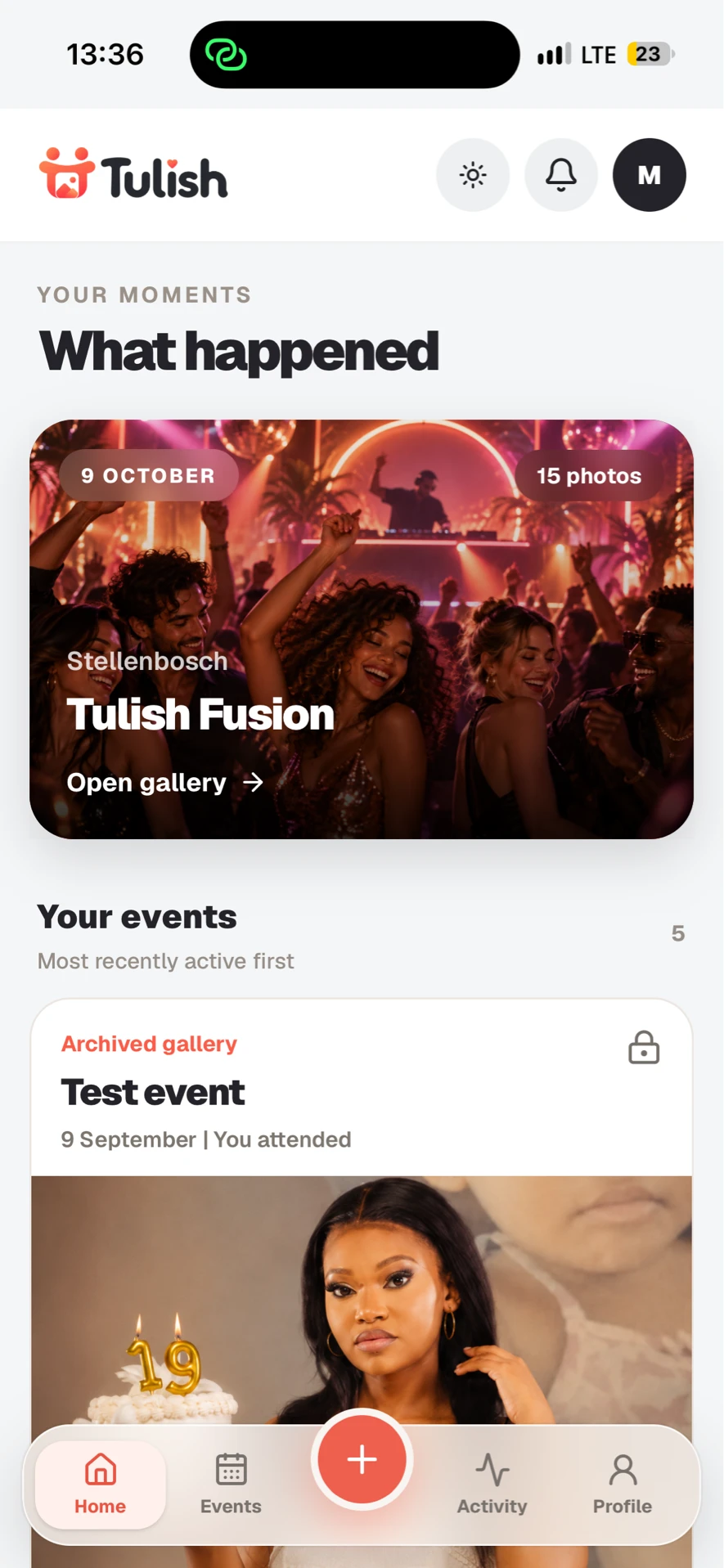
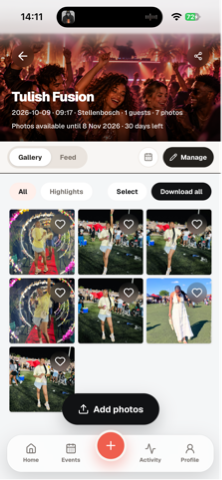
The gallery expanded beyond viewing to include uploads, reactions and comments, with downloads and archives where event settings allow. Guest and registered identities were designed to coexist, including a path for guests to preserve their history if they later create an account.
5. Bring the gallery into the room
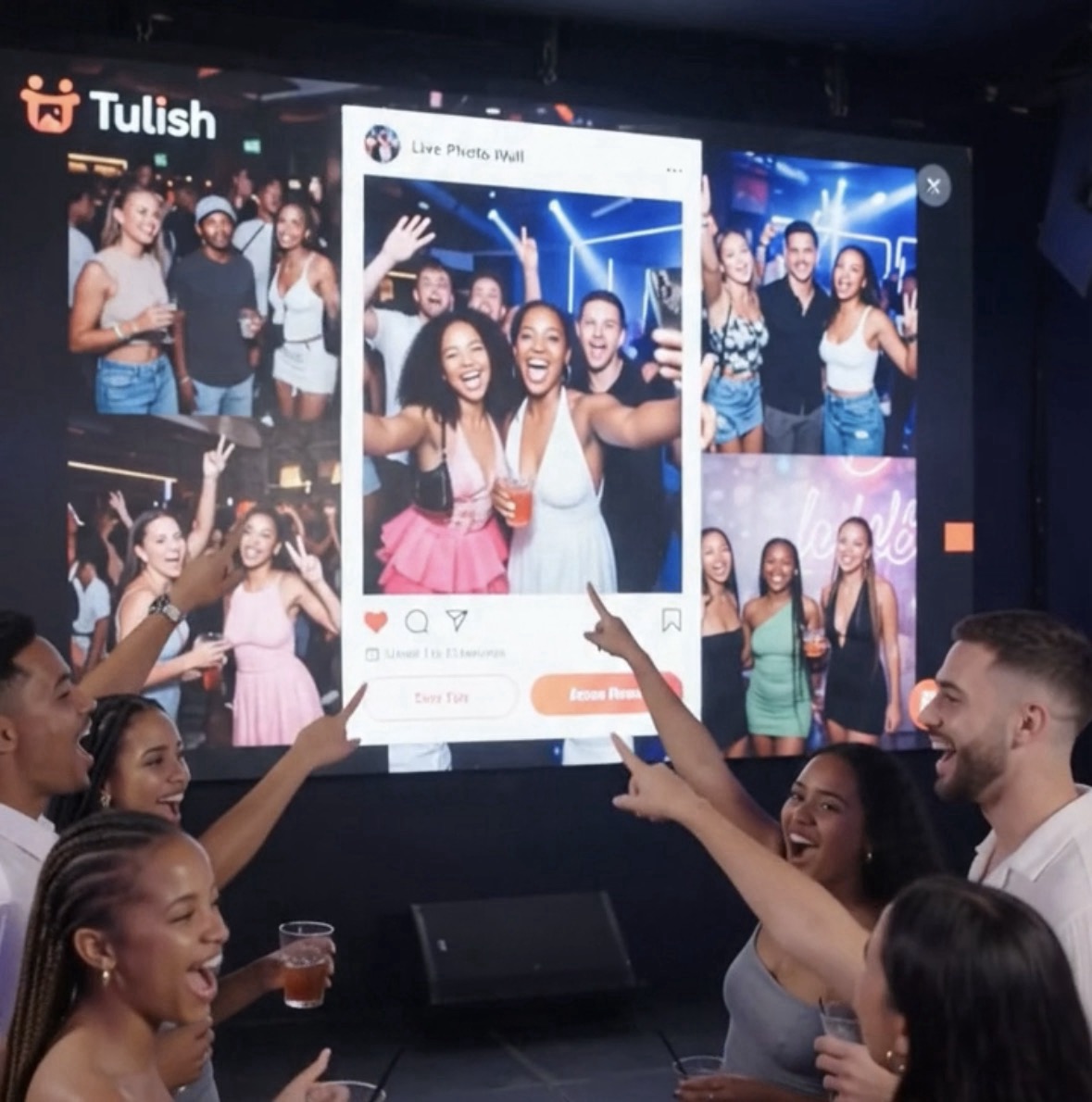
The Live Photo Wall extended the experience from individual phones to an event screen. This introduced additional design and engineering needs: controlled wall access, moderation before display where required, and host controls over the event experience.
6. Adapt the model for recurring venues
Venue Mode applied the event concept to ongoing venue activity. A permanent venue QR code resolves to the active event, while staff roles and operator controls support recurring use. The product also includes moderation, reporting and removal-request flows for venue participation.
7. Add the operational layer
As the product grew, the work extended to venue and administrator tools: event management, role-protected operations, audit records, analytics and lifecycle controls. These capabilities support managing events and content behind the scenes while keeping the attendee experience focused on joining and sharing.
8. Deliver through the browser and refine for reliability
Tulish is an installable progressive web app, letting attendees participate in a browser without a native app download. The current product includes separate application and identity/data services, media storage, moderation workflows and scheduled lifecycle processes. The next development focus documented for Tulish is proving reliability and operational readiness as the feature set matures.
From private gatherings to venues
The first experience focused on private events. Hosts can create an event, invite guests, manage settings and decide how the gallery is used. Participants can upload photos, react and comment, and download content where the event settings allow it.
Tulish then extended the same idea to venues. A permanent venue QR code can take attendees to the current event, creating a repeatable way for people to join. Venue tools support staff roles, event controls, photo review, reports and removal requests.
For events with a screen, the Live Photo Wall brings approved uploads back into the room. Guests contribute a photo, it passes through the event's moderation flow where required, and it can appear on the wall, making the shared gallery visible during the experience itself.
Built for participation and control
Reducing friction did not mean removing event controls. Tulish includes host and venue operator tools for managing participation, moderation and event settings. Private and venue experiences can use controlled live-wall access, while account and guest flows let people participate first and choose a more persistent identity later.
The product is delivered as an installable web app, so guests can join from a browser without downloading a native app. Behind the simple join flow is an operational layer for venue roles, moderation, analytics, audit records and content lifecycle controls.
The result
Tulish has grown from a shared event gallery into a broader event participation platform. Its current capabilities include private events, guest and registered participation, invitations, photo galleries, reactions and comments, downloads, live walls, venue QR joining, venue staff roles, moderation and an operator portal.
That gives Tulish two connected ways to bring people into the product: a host can invite a group to one special occasion, or a venue can introduce attendees to Tulish repeatedly through its ongoing events. The product keeps both journeys anchored to the same idea: the memories belong to the people who were there.
What this project demonstrates
- Start with the real behaviour. People already take the photos; the product makes it easier to share them in context.
- Keep the first step light. Guests can join before deciding whether they want a lasting account.
- Extend a strong core. Venue Mode builds on the private-event experience instead of turning Tulish into a general-purpose social feed.
- Put complexity behind the screen. Host, operator and moderation controls support the experience without making every guest learn the operational system.
One event. Everyone's photos. One place.
Tulish brings the event's photos together while the event is happening, and gives guests a shared place to revisit what they experienced.
Want to build a digital product around how people already behave? Talk to InfoServ